No matter the size of your business, late payments can have a huge impact on your cash flow. Not to mention all the extra administrative work such as finance teams checking invoices, creating reminder emails, and recording which customers have been contacted or not.
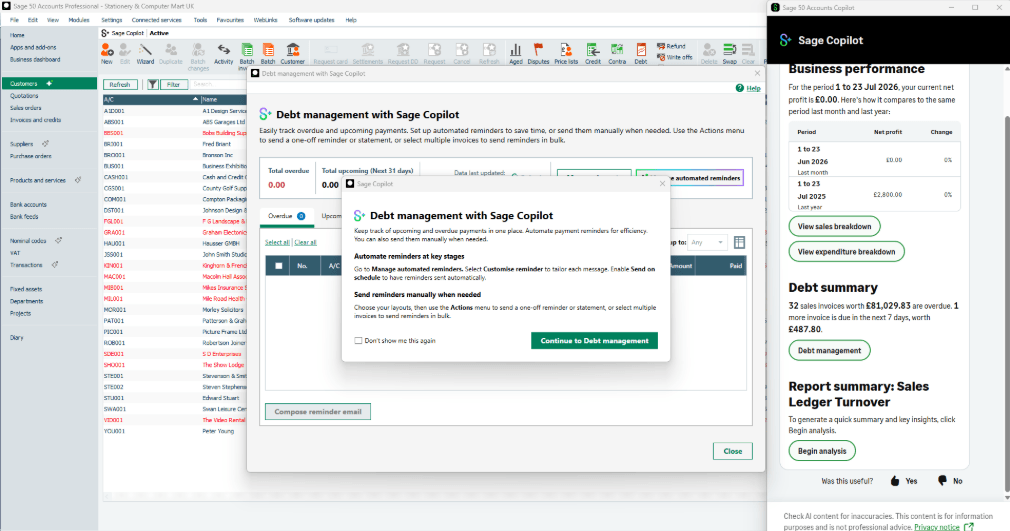
Debt management with Sage Copilot brings this work together within Sage 50. Users have a much clearer view of upcoming and overdue customer invoices, and there are also useful tools to help chase payments. Within Sage 50, businesses can also utilise the automated payment reminders features to send customised emails.
What is Debt Management with Sage Copilot?
Debt management with Copilot for Sage 50 helps businesses monitor unpaid invoices as well as managing payment reminders. It separates invoices into upcoming and overdue groups, shows the status and history of reminders, and allows users to take action from one dashboard.
| Debt-management task | How Sage Copilot helps |
| Identify overdue invoices | Displays outstanding transactions in an Overdue tab |
| Plan ahead | Shows invoices due within the next 31 days in an Upcoming tab |
| Prioritise debt | Shows outstanding values and how many days an invoice is overdue |
| Contact customers | Allows users to compose a payment-reminder email |
| Provide supporting documents | Gives users the option to generate a customer statement |
| Track communication | Records chase status and chase history |
| Follow up later | Allows a reminder to be set for a particular date and time |
| Reduce manual work | Professional users can create automated reminder schedules |
See Upcoming & Overdue Invoices in One Place
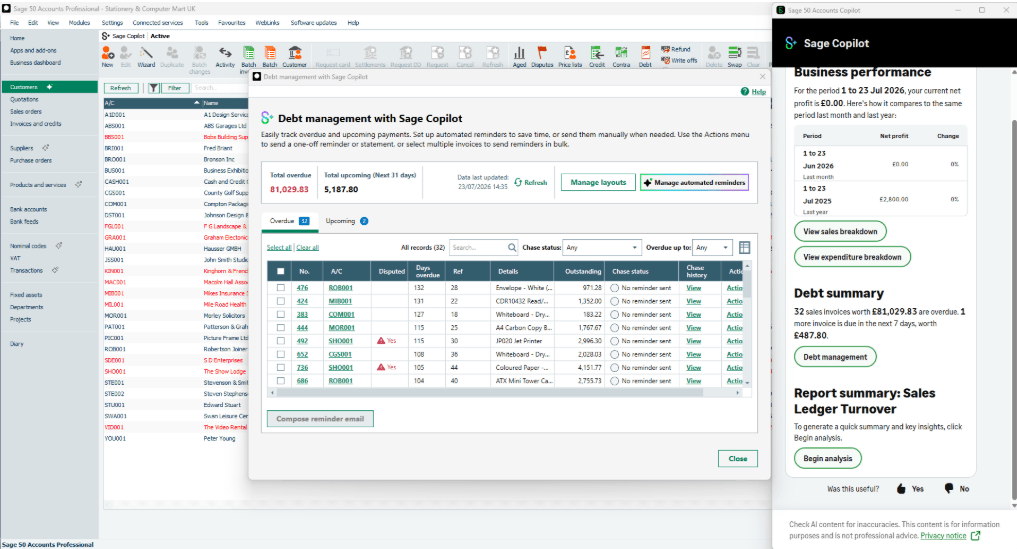
The debt-management window within Copilot for Sage 50 provides separate tools for both overdue and upcoming debt, so you don’t end up sending the wrong message to a client whose invoice isn’t actually due yet! Users are able to see how many days an invoice is overdue, or how many days remaining before it becomes due. This feature allows for both reactive and proactive credit control – rather than waiting until an invoice is significantly overdue, customers can be contacted prior to this.
The overdue tab also has a filter function where you can filter by the number of days overdue. This helps finance departments prioritise older or more urgent debts. Invoice information can also be readily exported to Excel for further analysis too.
Automate Payment Reminders
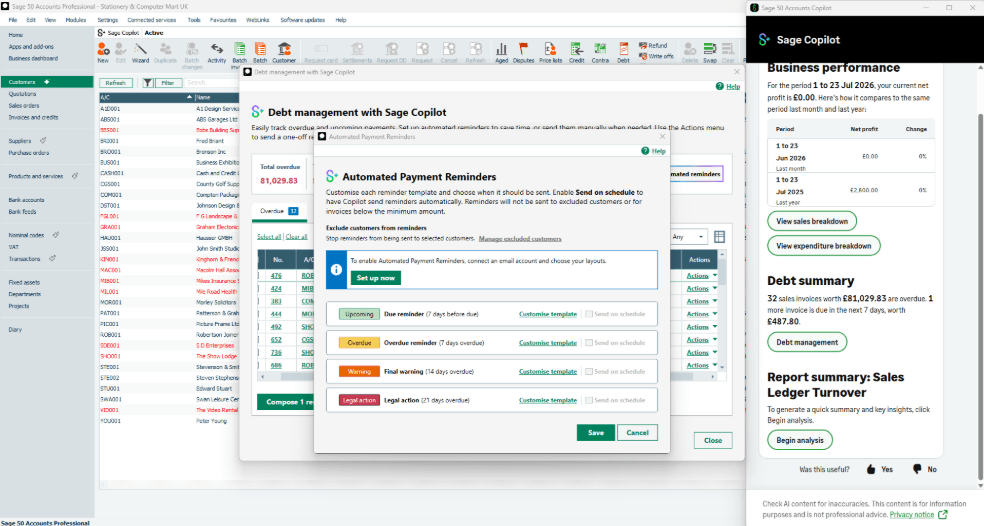
Within Sage 50 accounts, there is the option to set automated payment reminders. Rather than manually writing and sending messages, users can customise four email templates to be sent automatically according to defined rules / schedules:
Copilot is also on hand to help generate the email content, which can then be reviewed and customised to help the business save time. It is important to note that this automation when it comes to payment reminders can be customised, so customers don’t have to receive the same bog-standard email. Templates can be altered accordingly, and customers can be excluded from receiving certain automated messages.
Benefits of Sage Copilot for Debt Management
One of the huge advantages of using Copilot for Sage 50 for debt management is to reduce the amount of routine emails both created and sent manually. Also, by having one central view of invoices and chase history, time can be saved spent checking multiple records.
With more consistent reminders able to be sent, businesses can address late payments sooner and therefore cash flow will improve.
Implementing Sage 50 & Sage Copilot
If you are looking for help with your debt management, Reality Solutions are on hand to advise with configuring your Sage 50 to get the very best out of the Copilot features. We provide ongoing support and training, so all of your staff can use Sage 50 to the best of their ability. For more information, get in touch with our expert team today.
*This article contains general information in order to assist all of our customers and is meant for guidance only – there are no guarantees that the information we provide will be suitable for your particular needs. If you require specific assistance, we recommend that you seek professional guidance on your individual circumstances. Reality Solutions are in no way responsible for any loss or damage arising from any information contained within our articles.