Data is all around us in the world of business, and every day information is constantly being collected. From sales figures to stock levels and financial performance, numbers are everywhere! There is no use in having all this data if you can’t make sense of it though. This is where Microsoft Power BI and Power Apps come in. They help turn business data into actionable insights, allowing you to make smarter decisions and automate more processes.
Whether you are looking to improve your reporting, or reduce the number of manual tasks within your business, Power BI and Power Apps can help.
What is Power BI?
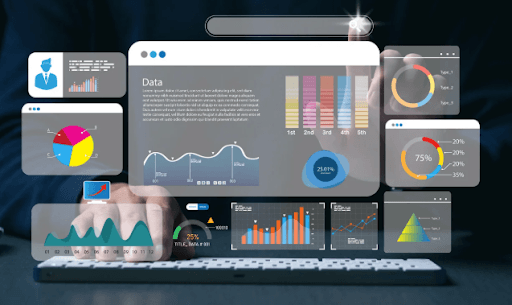
Power BI is Microsoft’s business intelligence and data visualisation platform. It allows businesses to collect data from multiple sources and present it through interactive dashboards and reports. Rather than relying on outdated spreadsheets, Power BI gives real-time access to important business information. Data can be viewed through charts, graphs and dashboards that are clear and easy to understand.
Power BI can connect to a wide range of software, including:
- Microsoft Excel
- Microsoft Dynamics 365
- Sage software
- SQL databases
- SharePoint
- Microsoft 365 applications
- Cloud-based business systems
Benefits of Power BI
1. Improved decision making
One of the main advantages of Power BI is the ability to see accurate, up-to-date data and therefore better decision-making. Rather than waiting for monthly reports to be created manually, live dashboards can be created, which show any KPIs you need to track. Not only are trends and opportunities able to be identified quickly, but also any potential issues.
2. Better visibility across the business
Most organisations store information in a whole host of different systems. Sales teams might use one software, marketing another, and finance again something different. The beauty of Power BI is that it combines information from these various sources into a single dashboard, providing clear visibility across the entire business. This allows departments to work together more efficiently, as everyone can see the same data.
3. Time saving
Manual reports are not only liable to errors, but they take time to create. Power BI automates a lot of this process, helping to reduce administrative workload and therefore allowing staff to focus on more important aspects of the business.
4. Customisable dashboards
Every business has different metrics they want to focus on. Power BI can be tailored to display the metrics that matter most to specific teams or departments. This is a great way for everyone to access the data they need, without being distracted by figures that aren’t relevant to their job.
What are Power Apps?
Power Apps is Microsoft’s low-code application development platform. It enables businesses to create custom applications without requiring the involvement of software developers. Developing bespoke business applications takes a lot of time and expertise, but Power Apps allow businesses to create tailored solutions quickly and efficiently. The applications can be accessed via desktop, tablet or mobile devices so are perfect for businesses that offer hybrid working.
How Businesses Use Power Apps
Power Apps are designed to automate a lot of business processes, here are just a few examples of how they can be used:
- Employee onboarding forms
- Health & safety inspections
- Asset management systems
- Customer service requests
- Expense approval processes
- Site audits
- Maintenance reporting
- Inventory management
Rather than relying on spreadsheets or email chains, businesses are able to create dedicated applications designed around their specific workflows. Here are just some of the benefits of Power Apps:
- Reduced manual processes – these are replicated with digital workflows, helping to improve consistency throughout the business.
- Faster development – as Power Apps use a low-code approach, applications can be developed fairly quickly in comparison to traditional software solutions.
- Integration with Microsoft 365 – Power Apps integrate seamlessly with Microsoft 365 applications including SharePoint, Teams, Outlook and Excel. This reduces the need for investing in entirely new platforms.
- Mobile accessibility – Power Apps can be created so they are accessible from virtually anywhere.
Combining Power BI and Power Apps
While Power BI and Power Apps are absolutely fine to use in isolation, they become even more powerful when they are used together. Power BI provides visibility into business performance, while Power Apps allow users to take action based on those insights. This can help businesses move beyond simply analysing data, and allows them to act on it.
As a certified Microsoft partner, Reality Solutions helps businesses unlock the full potential of Microsoft technologies, including Power BI and Power Apps. From initial consultation and implementation through to training and ongoing support, we work closely with you to ensure you’re getting maximum value from your technology investment. Get in touch to find out how Power BI and Power Apps can help support your organisation’s growth.
*This article contains general information in order to assist all of our customers and is meant for guidance only – there are no guarantees that the information we provide will be suitable for your particular needs. If you require specific assistance, we recommend that you seek professional guidance on your individual circumstances. Reality Solutions are in no way responsible for any loss or damage arising from any information contained within our articles.